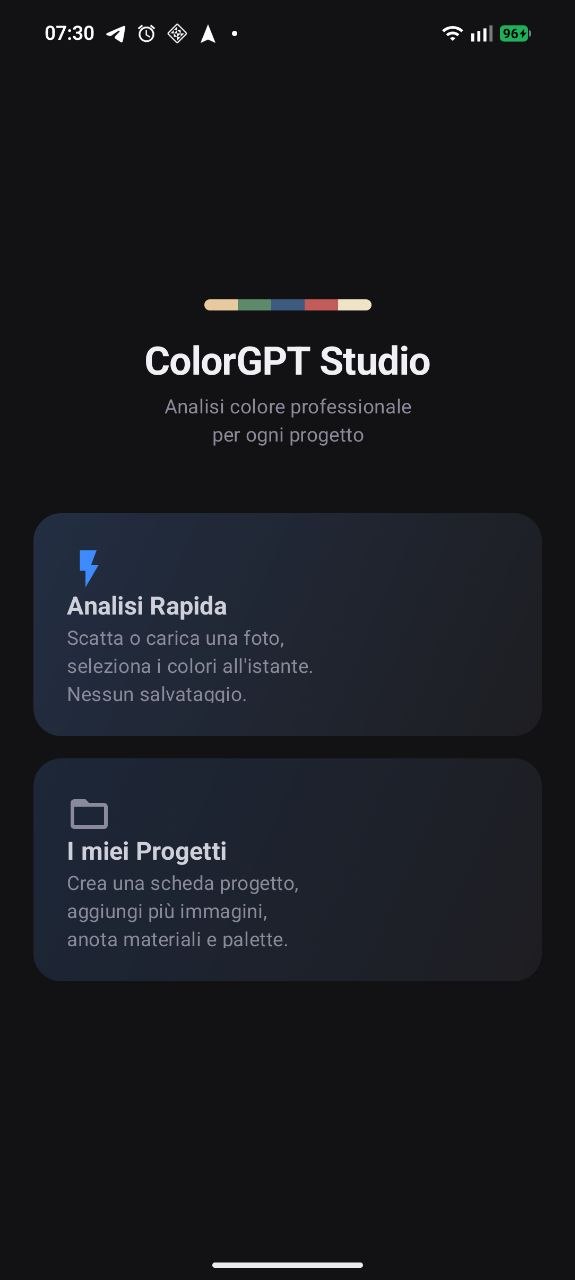
Home
Quick Analysis
Projects
Point your phone at anything. In one tap you get HEX, RGB, CMYK, HSL, RAL Classic and NCS — ready to spec, quote or order.
Android 8.0+ · ~6 MB · Requires Install unknown apps enabled
One tap on any pixel — instant extraction. No sliders, no manual input, no guessing.
HEX · RGB · CMYK · HSL · RAL Classic · NCS. Every format you need for every workflow.
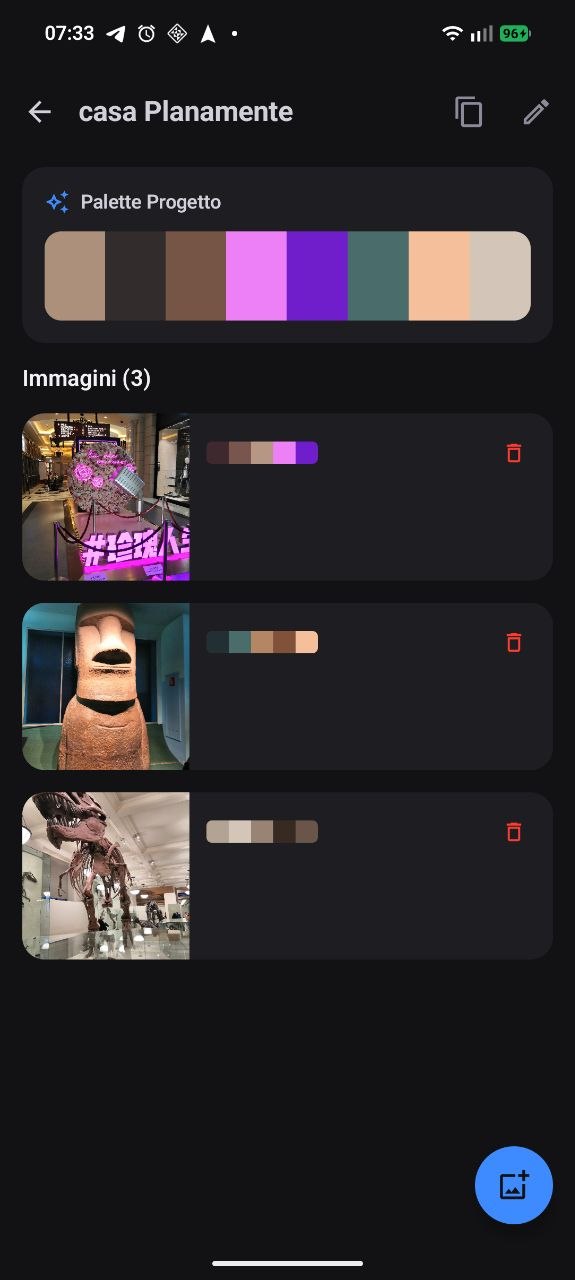
Group images under a job. The global palette builds itself automatically as you pick.
Instant on-site session — no project needed. Shoot, pick, share. Done in under 10 seconds.
Label, note, material code, craft tags — every color point carries context to the client.
No network permission. No analytics. No backend. Your job data stays on your device.
Tap + on the home screen to create a named project (useful for jobs you revisit), or tap Quick Analysis for an instant on-site session with no overhead.
Home screenHit the camera icon to take a photo right now, or the gallery icon to pick an existing one. The image loads instantly — no upload, no processing spinner.
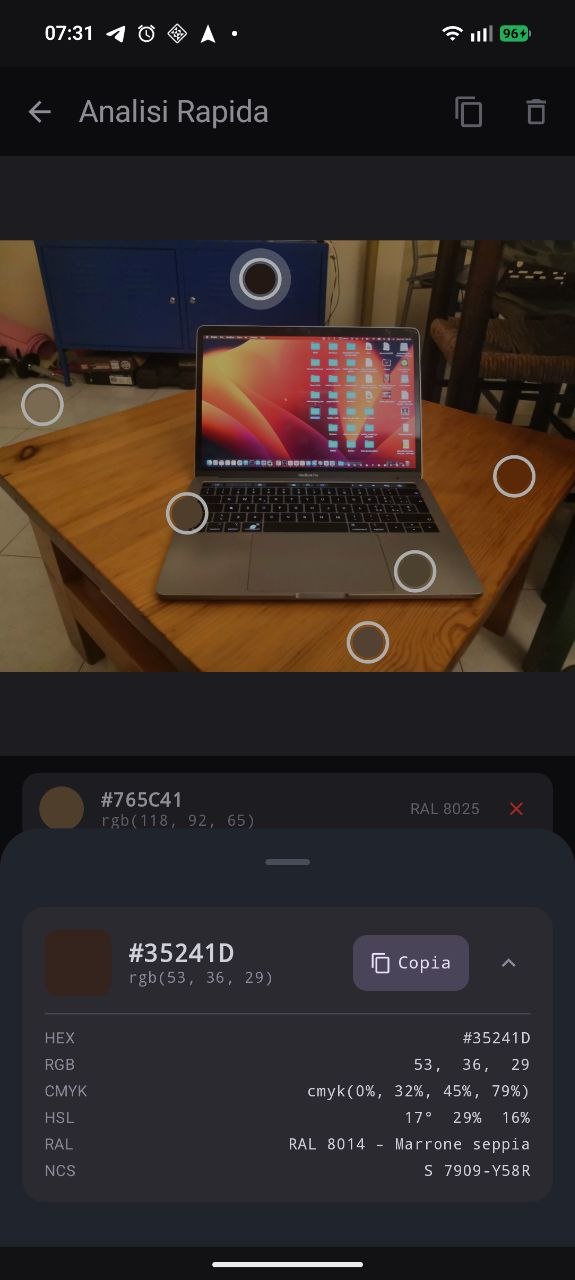
Project screen · Quick Analysis
Touch directly on the area you want. A dot appears on the image marking the exact point.
You instantly see HEX · RGB · CMYK · HSL · RAL Classic · NCS — all computed
on-device, offline, in milliseconds.
Need to zoom in first? Pinch to zoom, drag to pan, then tap. The dot follows your finger precisely.
Tap any color dot to open its editor. Add a label ("ceiling"), a note ("match existing trim"), a material code, and craft tags like paint · fabric · wood. Everything is saved locally to the project.
Color point editorTap ✦ Extract palette to run K-Means clustering on the entire image and surface the dominant colors automatically. Then tap Ask AI to generate a ready-to-paste prompt describing every color point with codes and context — copy it straight into ChatGPT, Claude or any LLM.
Palette · Ask AIUse the Share button to send the generated prompt to any app — email, WhatsApp, Notion, your CRM. No export format to configure, no account to log into. Done.
Share sheetOpen source. MIT licensed. No setup wizard required.
git clone https://github.com/plana93/ColorGPTStudio.git
cd ColorGPTStudio
./gradlew installDebug